The EverTick guide
Add an anniversary widget to your iPhone Home Screen
Keep a favorite photo and the time since that day somewhere you see every day. Set up your EverTick Home Screen widget in three steps.
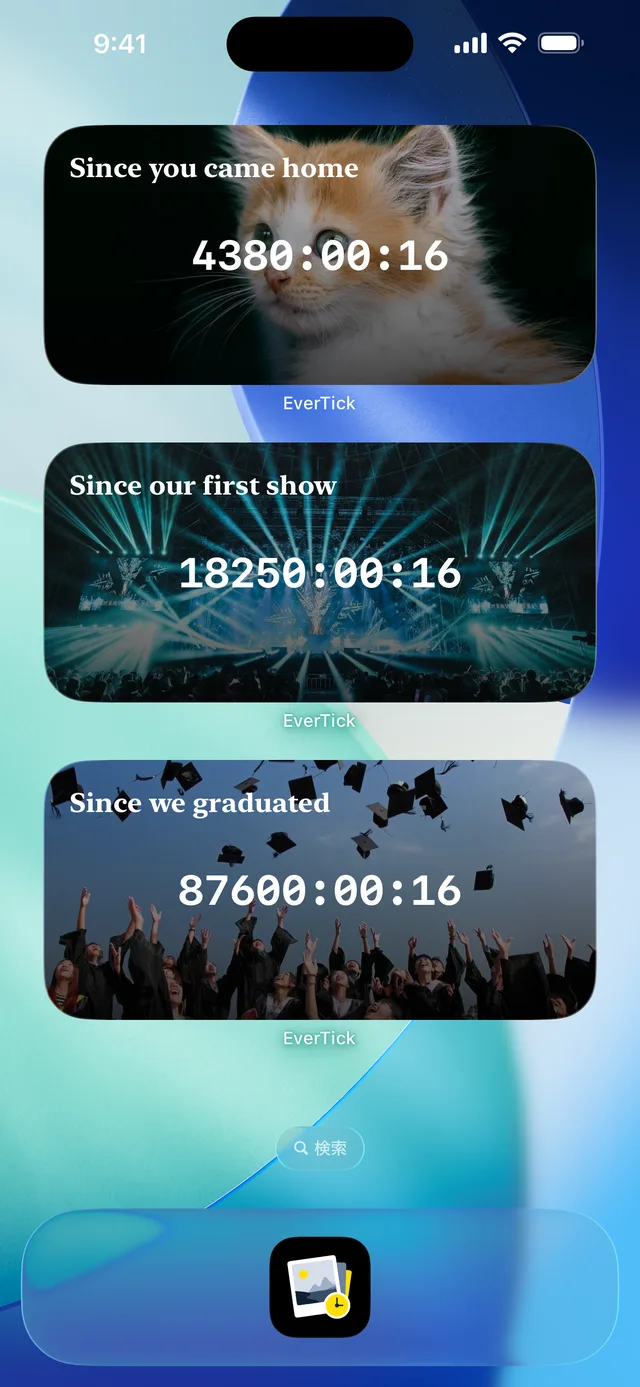
Three steps to your Home Screen
- 01
Create an album and choose your starting day
Open EverTick, give your album a name, and choose a photo. To count from a date in the past, choose Rewind and confirm the start date and time before creating the album. If the photo has no capture date, you can select the date yourself.
Your first Rewind album is free. Later Rewind albums use an in-app ticket. You can also start from today.
- 02
Add the EverTick widget
Touch and hold an empty area of your iPhone Home Screen, then choose Edit → Add Widget. Search for EverTick, choose a size, and tap Add Widget.
Depending on your iOS version, you may see a + button instead of Edit.
- 03
Choose the album to display
Touch and hold the widget you added and open Edit Widget. Choose the album you want to display, then return to the Home Screen to see its photo and elapsed time.
You can choose a different album later using the same steps.
See the setup on screen
A short guide recorded in the iPhone simulator. Follow along without sound. Sample photos show fictional, AI-generated people.
Video contents: the finished Home Screen → creating an album and checking the start date → adding a widget → how to select the album to display. The three steps above include the full instructions.
If your widget isn't showing correctly
EverTick isn't in the widget list
Open EverTick first and check that your album appears. Then return to the Home Screen and open the widget list again.
The widget says Select Album
Touch and hold the widget, open Edit Widget, and choose the album you want to display.
Can I show it on the Lock Screen?
This guide covers the Home Screen widget that shows elapsed time. Lock Screen Live Activities are a separate feature that counts down shortly before a milestone you've set.